Station Page (Legacy)
The station page is considered obsolete, having been replaced by the newer Site Details Page.
If you would prefer to continue using station pages, add the property UseOldSiteDialog to the System section of your application's Settings.Dynamic file, and set the value of that property to "1".
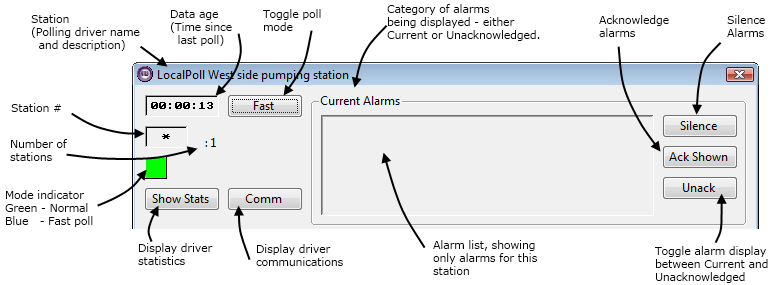
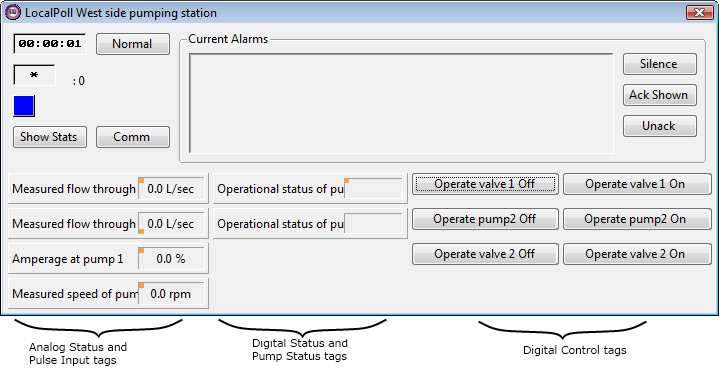
Each time you create a new Polling Driver or a new Data Flow RTU driver tag for your application, VTScada automatically creates a station page for the new station.
Station pages are launched when the station symbol for the Polling Driver or Data Flow RTU driver tag is clicked. You may change the page that is launched when a station symbol is clicked (i.e. you may open a custom page you have created for the station) by changing the station symbol's configuration.
The following images are from VTS version 10.2. Support for legacy station pages under VTScada 11 and later is not guaranteed.