
Used by: DNP3 Driver.
* Does not use the Style Settings tag.
The DNP3 Poll Button widget can be added to a page and selected to manually initiate polling for the DNP3 Driver. The widget defaults to Integrity Polling, with Event Polling available instead if enabled in its property settings.

Once a polling operation is triggered, the button will be disabled and appear in gray scale until the operation has concluded. When initiated on the client side, it will be disabled for the client and server both. When initiated on the server side, the button will be disabled for the server alone.
DNP3 Button Properties
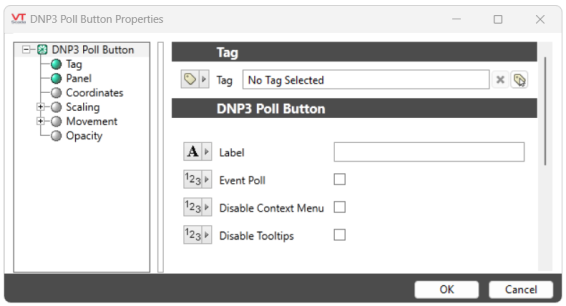
Label
Text to display the button name. If left blank, defaults to "Integrity Poll" or "Event Poll" if the Event Poll option is enabled.
Event Poll
Check box to enable Event Polling when selected. When deselected, the button will revert back to Integrity Polling.
Disable Options
Disable selected operator-interaction features of this widget.
See: Operator Interaction Controls
Tag Types\I/O Devices\PLCs
RTUs\DNP3 Compatible RTU
