ABB Totalflow Driver History Polling Cursors Reset Button
ABB Totalflow drivers keep track of their position in a sequence using cursors. Until historical records have been read from an archive, the cursor is set to Invalid. After records have been read, the cursor identifies a position in the sequence.
The button is linked to an ABB Totalflow driver tag. Clicking the button resets the tag's cursors back to the beginning state of Invalid.

To reset more than one ABB Totalflow driver tag grouped within the same configuration hierarchy, see ABBHistoryResetByConfig
The properties dialog for the ABB Totalflow Driver History Polling Cursors Reset Button:
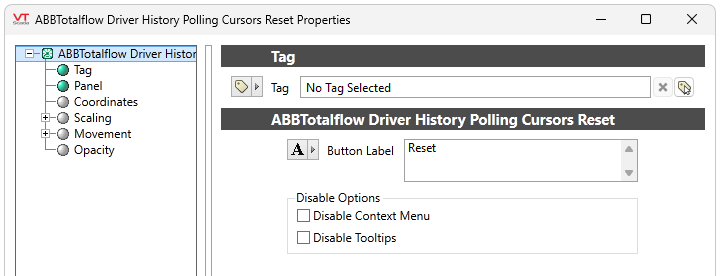
Tag
Select a tag or parameter to link to this widget. The field displays the current configuration.
Button Label
Set a text, tag, parameter, linked tag property or text expression to display as a label on the button. Default: "Reset"
Disable Options
Disable selected operator-interaction features of this widget.
See: Operator Interaction Controls
ABB Totalflow Driver
