Draw Page Widget
* Does not use the Style Settings tag.
The Draw Page widget is used to embed a page within another page.
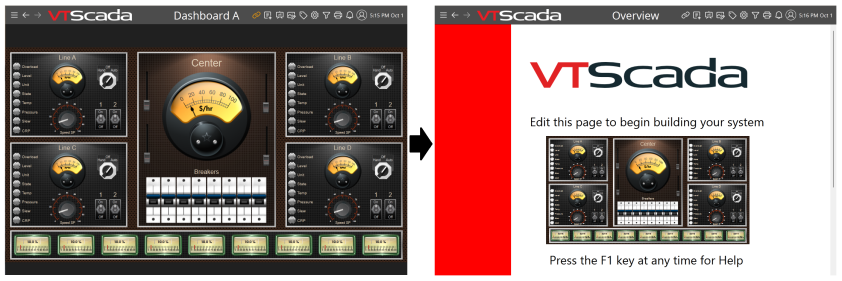
The embedded page still behaves as a normal page, visual indicators update at the same rates and controls may be operated. If the currently signed-in user possesses access to the page but not the embedded page, they will not be able to see the embedded page but will be able to interact with the containing page as usual.
Draw Page Widget Properties
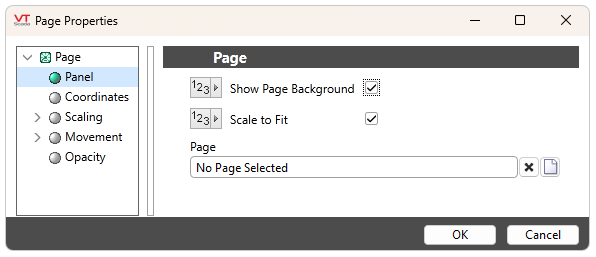
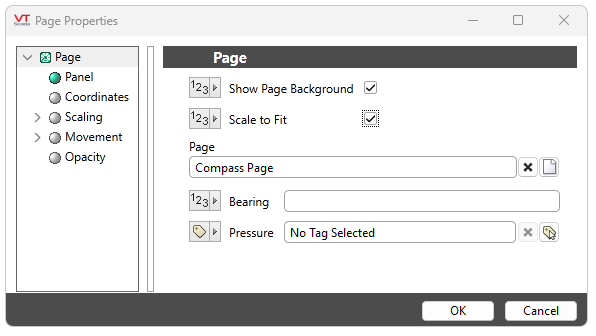
Show Page Background
When enabled the Draw Page's background will be the same as that of the embedded page, filling to the whole size of the widget. When disabled, the Draw Page's background will become transparent, taking on the background color or graphic of the containing page. Enabled by default.
Scale to Fit
When enabled, the embedded page will shrink or grow to display all of its contents within the boundaries of the widget while preserving its aspect ratio. Otherwise, the page will fill the widget and ignore the widget boundaries, occupying as much space as needed to display its contents at their configured sizes. Enabled by default.
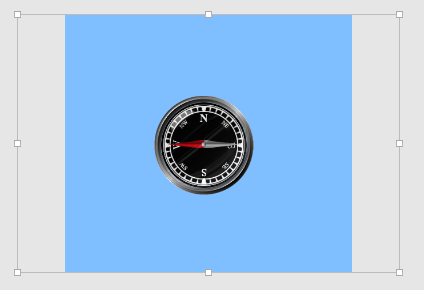
Scaled Embedded Page |
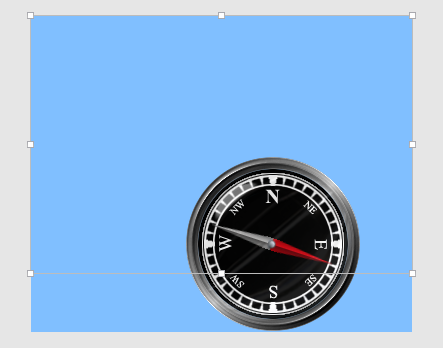
Unscaled Embedded Page |
Page
Name or browse to the desired page to display within the widget by selecting the page icon. Fields for custom Parameterized Pages will appear if needed, as seen in the below image with 'Bearing' and 'Pressure' parameters of the 'Compass Page' example. Any page the current user can access may be selected, with the exception of the page intended to contain the widget.
Page Navigation
