Report View Widget
Used by: The Report Studio
* Does not use the Style Settings tag.
Displays a report from a linked Report tag in the Screen Display output format.
Operators who can see the widget but who do not have privileges or realm access to view the report will not be able to see the report. They will only see a gray box.
The properties dialog for the Report View widget:
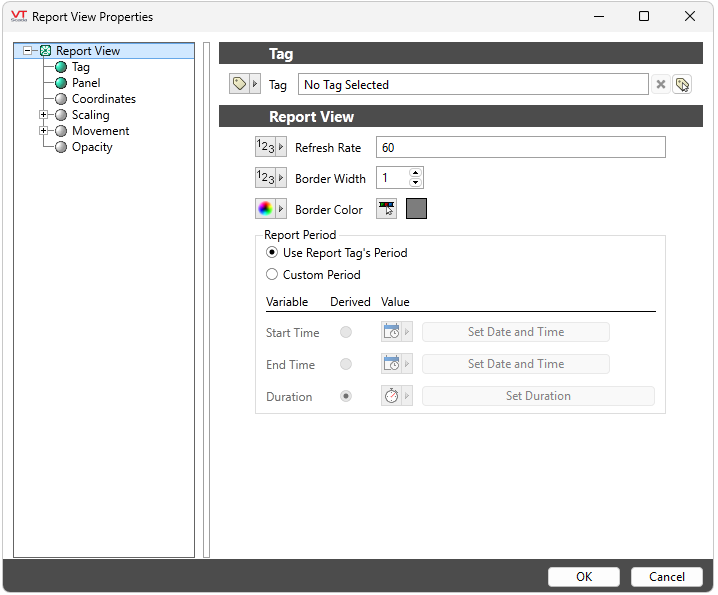
Refresh Rate
Rate at which the report is regenerated. Default 60 seconds.
Border Width
The width of the border in pixels. Default 1 px.
Border Color
The border color is gray by default. To have no border or to configure border color by tag value, parameter, linked tag property or expression, select the color selector button.
Report Period
Defaults to the Report Period configured in the source. Select Custom Period to choose an alternative for the Report View Widget.
Report
Reports
Report Tools
Data Logging & Reports
