Outline Properties
For any object that has a line or outline, you can modify the appearance using the properties dialog.
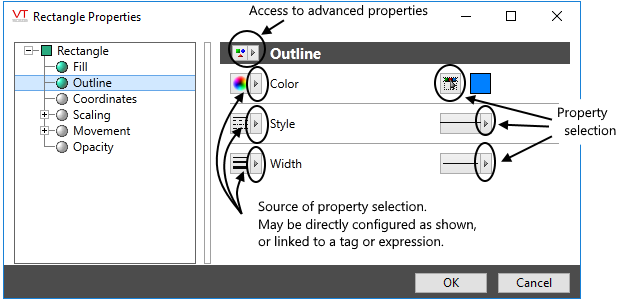
You must open the advanced properties option to see this view
The properties dialog will often open in the "Simple" format. Use the selection at the top of the dialog to access the Advanced format so that you can view and change all the available properties of the line or outline.
The standard method of setting the property values is to use the selectors to the right of each property. The color button opens the Select Color dialog, and the width and line style selectors open drop-down menus of options.
You can link property values to tags or expressions, thereby animating any property as it responds to changing conditions in the application. See: Select a Data Source
