Select the default time duration for a report.

Clicking the widget on the page will open a dialog that allows you to enter a number and select a unit of time.

The properties dialog for the Duration Selector:
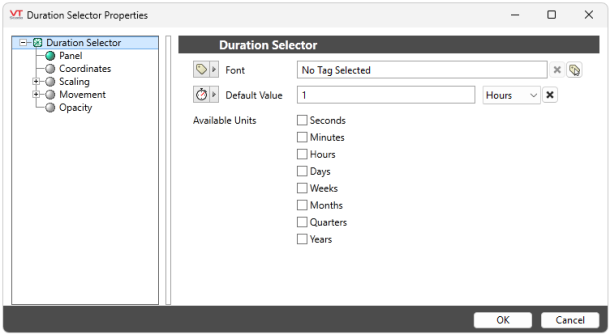
Font
Controls the display characteristics of the Date Time Selector, but not within the dialog.
Default Value
Set the default numeric value and unit of time for the Duration Selector.
Available Units
You can choose to only show select units of time in the Duration Selector dialog. If none are checked, they will all appear. If some are checked, only the checked units will appear.
